How to Share Google Reviews on Social Media (Instagram, Facebook & More)
Your best Google reviews are sitting on your Business Profile right now, being seen only by people who are already searching for you. That is a missed opportunity. When you share Google reviews on social media, you put real customer voices in front of people who might never have searched for your business at all. You turn a static review into a piece of content that builds trust, drives engagement, and reaches entirely new audiences.
According to BrightLocal's 2025 Local Consumer Review Survey, just 4% of consumers say they never read online business reviews, and social media is where they spend the most time. When those two things intersect, when a real review from a real customer shows up in someone's Instagram feed or Facebook timeline, the effect on trust is powerful. This guide will show you exactly how to share your Google reviews across every major social media platform, what to share, how to design it, and how to build a system that makes it easy.
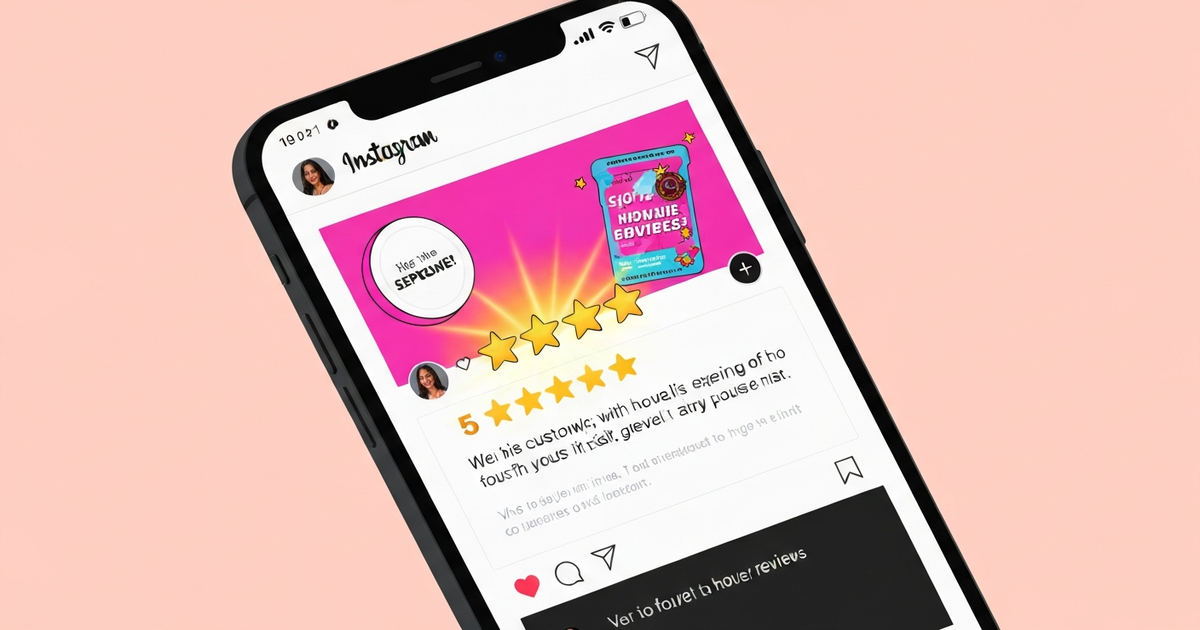
Why Sharing Reviews on Social Media Is So Powerful
Most businesses treat Google reviews and social media as separate channels. Reviews live on Google, social media lives on Instagram and Facebook, and the two never meet. That is a mistake, because combining them creates something stronger than either one alone.
- Social proof in the right context. A Google review proves that someone had a great experience with your business. When you share that review on social media, you are putting that proof directly in front of people who already follow you or who are discovering you for the first time. It is the difference between a testimonial buried on page three of search results and one that appears right next to your latest post.
- Trust that feels authentic. Followers are skeptical of polished marketing messages, but they trust other customers. A screenshot of a real Google review, with the reviewer's name and star rating visible, carries more weight than any copywriter's tagline. It is someone else saying you are great, not you saying it yourself.
- Extended reach beyond Google. Your Google reviews are only seen by people who find your Business Profile. When you share those reviews on social media, they reach your followers, their networks through shares and tags, and anyone who discovers the post through hashtags or algorithms. A single review can go from being seen by dozens of people on Google to thousands on Instagram.
- Humanizes your brand. Real customer stories make your business feel approachable and relatable. A review that mentions a specific employee, a particular product, or a memorable moment gives your followers a window into what it is actually like to do business with you. That emotional connection is what turns passive followers into active customers.
- Content you do not have to create from scratch. Every good review is a piece of content that is already written for you. You do not need to brainstorm ideas, write copy, or come up with a concept. The customer already did the work. All you need to do is present it well.
Which Reviews Should You Share?
Not every review is worth sharing on social media. A generic "great service, would recommend" review is fine on Google, but it does not make compelling social content. Here is what to look for:
- Five-star reviews with specific details. The best reviews for social media are the ones that tell a story. "The team went above and beyond to fix our plumbing issue on a Saturday night, and they even followed up on Monday to make sure everything was still working" is infinitely more shareable than "good plumber."
- Reviews that mention team members by name. When a customer calls out a specific employee, sharing that review does double duty. It provides social proof and it shows your audience that your team is made up of real people who go the extra mile. It also boosts employee morale, which is a nice bonus.
- Reviews highlighting your unique selling points. If a customer's review naturally mentions something that differentiates you from competitors, such as your fast turnaround, your pricing, or your attention to detail, that review reinforces your brand positioning every time someone sees it.
- Emotional stories. Reviews that describe a transformation, a moment of relief, or a genuine emotional reaction are the most engaging content you can share. A dental patient who was terrified but left feeling comfortable, a homeowner who was panicking about a leak but felt completely taken care of, these stories resonate on social media in a way that polished marketing cannot replicate.
Sharing Google Reviews on Instagram
Instagram is one of the best platforms for sharing reviews because it is visually driven and offers multiple formats to work with. Here is how to use each one:
- Stories with branded overlays. Take a screenshot of the Google review and add it to a Story with your brand colors, logo, and a short caption like "This made our day" or "Thank you, [Name]!" Stories disappear after 24 hours, which makes them feel casual and timely. Add a poll sticker asking "Have you had a similar experience?" to drive engagement.
- Feed posts with designed review cards. Create a clean, branded graphic that features the review text, the star rating, and the reviewer's first name. Use your brand colors and fonts consistently so that review posts become instantly recognizable in your feed. Carousel posts work well here. Feature three to five reviews in a single swipeable post.
- Reels with multiple reviews. Compile several reviews into a short video with transitions, background music, and text overlays. A "What our customers are saying" Reel that cycles through five or six reviews in 30 seconds is highly engaging and shareable. Use trending audio to boost discoverability.
- Dedicated Reviews highlight. Create a permanent Story highlight on your profile called "Reviews" or "Love Letters" and save all of your review Stories there. New visitors to your profile can instantly see a curated collection of your best customer feedback without scrolling through your entire feed.
Sharing Google Reviews on Facebook
Facebook is still the largest social network by active users, and it is particularly effective for local businesses. Reviews shared here tend to get high engagement from existing customers and strong visibility through shares.
- Share as a post with a thank-you message. Screenshot the review or create a branded graphic, then write a genuine thank-you message as the caption. Tag the reviewer if they are connected to your page. Something like "We are so grateful for this feedback from [Name]. Moments like these remind us why we do what we do" performs much better than simply posting the screenshot with no context.
- Create review graphics. Design a template in Canva or a similar tool that you can reuse. Include the review text, star rating, your logo, and a clean background in your brand colors. Consistency in design helps followers recognize your review posts instantly as they scroll.
- Pin your best review to the top of your page. Facebook lets you pin a post to the top of your business page. Choose your most compelling, detailed, and recent review and pin it so that every new visitor sees it first. Update the pinned review quarterly to keep it fresh.
Sharing Google Reviews on LinkedIn
LinkedIn is the right platform for B2B businesses, professional services, and anyone whose customers are other businesses. The tone is different here, but reviews are just as powerful.
- Professional testimonials. Frame the review as a client testimonial in a text post. Add context about the project or engagement and what the results were. LinkedIn audiences respond well to stories about business outcomes, so a review that mentions measurable results like "increased our revenue by 30%" or "saved us 10 hours per week" will perform especially well.
- B2B social proof. If your Google reviews come from business clients, sharing them on LinkedIn reinforces your credibility with other potential B2B customers. Pair the review with a brief case study or lessons learned from the engagement to add depth.
Sharing Google Reviews on TikTok
TikTok rewards authenticity and personality, which makes it a surprisingly effective platform for review content. The key is to make it feel natural, not like an advertisement.
- Review reaction videos. Film yourself or your team reading a great review out loud and reacting genuinely. The "reading our Google reviews" format is popular on TikTok and tends to get strong engagement because it feels real and unscripted. Show the actual Google review on screen while you react.
- Before-and-after with review overlay. If your business involves a visual transformation, such as home renovation, landscaping, auto detailing, or beauty services, pair before-and-after footage with the text of a review overlaid on screen. This combines two powerful content types into one post.
Sharing Google Reviews on X (Twitter)
X is fast-paced and text-friendly, which makes it easy to share reviews quickly and frequently.
- Quote and thank the reviewer. Pull a key sentence from the review, put it in quotes, and add a brief thank-you. Keep it short and conversational. Something like: "'Best customer service I have ever experienced.' Thank you, Sarah! Feedback like this keeps us going." works well on X because it is concise and genuine.
- Thread of best reviews. Compile your five or ten best reviews into a thread. Start with a hook like "Here is what our customers are saying about us" and then share one review per post in the thread. Threads perform well on X because they encourage users to keep reading and engage with individual posts.
Design Tips for Review Graphics
No matter which platform you use, how the review looks matters almost as much as what it says. Poorly designed review posts get scrolled past. Well-designed ones stop the scroll and build credibility. Follow these guidelines:
- Use consistent branding. Every review graphic should use your brand colors, fonts, and logo. When someone sees a review post in their feed, they should immediately know it is from your business without reading the caption.
- Highlight key phrases. If the review is long, bold or underline the most impactful sentence. This draws the reader's eye to the strongest part of the testimonial and makes the post scannable for people who do not read every word.
- Include a star rating visual. Five gold stars are universally recognized as a symbol of quality. Include them in your graphic to immediately communicate that this is a top-rated review.
- Keep text readable. Do not shrink the review text to fit everything into one graphic. If the review is too long, excerpt the best part. Use a font size that is comfortable to read on a phone screen, which is where most people will see it.
- Use your brand colors as the background. A solid or subtly textured background in your brand colors looks cleaner and more professional than a busy photo background. It also makes the review text easier to read.
How Often Should You Share Reviews on Social Media?
The ideal frequency depends on your overall content strategy, but a good rule of thumb is two to three review posts per week. This is frequent enough to maintain a steady stream of social proof without making your feed feel like nothing but testimonials. Mix review content with other types of posts, such as behind-the-scenes content, tips, product updates, and community engagement, to keep your feed balanced and interesting.
Create a content calendar that schedules review posts on specific days so you stay consistent. If you batch-create your review graphics once a week, you can schedule them in advance and free up the rest of your time for other content. Consistency over time is what builds the perception that your business is trustworthy and well-loved by customers.
Getting Permission: Do You Need It?
This is one of the most common questions businesses ask, and the answer is straightforward. Google reviews are publicly visible content. Anyone can see them, and sharing a public review on your social media is generally considered acceptable use. You are not altering the review, fabricating it, or presenting it in a misleading way. You are simply amplifying what a customer chose to share publicly.
That said, best practice is to thank the reviewer when you share their feedback. A quick message like "Thank you so much for this review, [Name]! We shared it on our Instagram because it meant so much to us" goes a long way in building a relationship with the customer and encouraging future reviews. If you are using the review in paid advertising rather than organic social posts, it is a good idea to reach out for explicit permission first.
Tools for Creating Review Graphics
You do not need a graphic designer to create professional-looking review posts. Several tools make it easy to create branded review graphics quickly:
- Canva. Canva offers free and paid templates specifically designed for social media testimonials. You can customize colors, fonts, and layouts to match your brand, then save your template and reuse it for every new review. This is the most popular option for small businesses.
- Screenshot and edit. The simplest approach is to take a screenshot of the Google review on your phone, then use your phone's built-in photo editor or an app like InShot or Over to add your logo and a branded border. This works especially well for Instagram Stories.
- Design tools like Adobe Express or Figma. If you want more control over the design, these tools let you create pixel-perfect review templates. They have a steeper learning curve but offer more flexibility for businesses with specific brand guidelines.
Embedding Google Reviews on Your Website
While this guide focuses on social media, it is worth mentioning that your website is another high-impact place to display Google reviews. Embedding a live feed of your reviews on your homepage, service pages, or a dedicated testimonials page adds social proof at the exact moment a visitor is deciding whether to contact you or make a purchase. You can use the Google Places API, third-party review widgets, or simply design a static testimonials section that you update manually. The combination of social media review sharing and website review embedding creates a consistent trust signal across every channel.
How Feedback Guru Helps You Share Your Best Reviews
The hardest part of sharing reviews on social media is not the sharing itself. It is having a steady supply of fresh, detailed reviews to share. Feedback Guru helps with that side of the equation by making it easy for every customer to leave a Google review.
- Generate more reviews to share. The more reviews you have, the more content you have to work with. Each location gets a unique feedback link and a printable QR code that you can share in person and in the emails and text messages you already send. Customers who rate 4 or 5 stars are taken straight to your Google review page.
- Hear what customers love, and what to fix. Customers who rate lower can send you private feedback and are then also invited to leave a Google review. That direct feedback helps you fix problems, follow up, and understand which aspects of your service matter most, which can guide your social media content strategy.
- Know when feedback comes in. You get an email for each rating and piece of feedback submitted through Feedback Guru. When a new Google review appears, share it while it is still fresh and thank the reviewer at the same time.
- Track your progress. The Feedback Guru dashboard shows link visits (including QR scans), ratings, and feedback over time so you can see whether your review requests are working.
Frequently Asked Questions
Do I need permission to share a Google review on social media?
Google reviews are publicly visible, so you generally do not need explicit permission to share them. However, it is good practice to thank the reviewer when you share their feedback and to avoid altering the text in any way. If you are using someone's name or photo in a promotional context beyond simply sharing the review, consider reaching out to them first as a courtesy.
How often should I share Google reviews on social media?
Aim to share reviews two to three times per week and mix them in with your other content so your feed does not become repetitive. Rotating between different review formats such as quote cards, Stories, and video compilations keeps the content fresh. Consistency matters more than frequency, so build review sharing into your regular content calendar rather than posting in bursts.
What is the best format for sharing reviews on Instagram?
The most effective Instagram formats are branded review cards in your feed, screenshot overlays in Stories, and Reels that compile multiple reviews with music or transitions. Use your brand colors and fonts to make review posts instantly recognizable. A dedicated Reviews highlight on your profile gives new visitors quick access to your best customer feedback at any time.
Which reviews should I share on social media?
Prioritize five-star reviews that include specific details about the customer's experience, mention team members by name, highlight your unique selling points, or tell an emotional story. Detailed reviews perform better than generic ones because they feel authentic and give potential customers a concrete picture of what to expect. Avoid sharing reviews that are vague or only say something like "great service" without context.
Can I share Google reviews on my website as well as social media?
Yes, and you should. Embedding Google reviews on your website adds social proof right where purchase decisions happen. You can use Google's Places API or third-party widgets to display a live feed of your latest reviews on your homepage, landing pages, or a dedicated testimonials page. Combining website embeds with social media sharing creates a consistent trust signal across every channel where potential customers encounter your brand.
Related Articles
- How to Get More Google Reviews: A Complete Guide - Proven strategies to ethically increase your review count
- How to Respond to Google Reviews: 30+ Templates for Every Situation - Copy-paste response templates for positive, negative, and neutral reviews
- Google Review Benchmarks by Industry - See how your review profile compares to competitors in your industry
Ready to turn your best Google reviews into social media content that builds trust and drives new customers? Try Feedback Guru for free and see how easy it is to grow the reviews you have to share.